🚀 The new tutorials platform — what's launching
Send this URL to authors: https://sap-tutorials.github.io/tutorials-ims/launch
Cutover target: developers.sap.com is moving off AEM + Java IMS onto a CAP + HANA + Hugo stack on SAP BTP. Same tutorials, same authoring repos, dramatically more capability around them.
This page is for tutorial authors first, end users second. If you've been writing tutorials in GitHub for the sap-tutorials org for the last year and a half, almost nothing about how you write changes. Almost everything about what your tutorial can do changes.
Read time: ~10 minutes. Skip to the section that matters to you:
- The 60-second pitch
- What the reader sees that's brand new
- What changes for you, the author
- What changes for operators and admins
- What's NOT changing
- Try it before cutover
The 60-second pitch
| Before (AEM + IMS) | After (this platform) |
|---|---|
| Tutorials served from AEM + Akamai. Hourly GitHub scheduler. Manual republish for stuck content. | Tutorials served from HANA BLOBs behind a CAP service. Republish is a GitHub Actions click — full or per-slug. |
| Layout: a long scrolling page of accordions. | Fiori Object Page with overview / prerequisites / steps / resources / discussion tabs, plus a ui5-wizard step indicator for tutorials with 3+ steps. |
| Search via global Akamai/AEM index. No keyboard nav. | ⌘K command palette on every page — search tutorials, jump to a step, run actions. |
Code blocks: plain <pre>. | Tabbed code blocks with cross-block sync (pick "macOS" once, every macOS tab syncs) and copy-to-clipboard. |
| Quizzes: hand-authored MCQs only. | Hand-authored MCQs, AI-authored quizzes (opt-in, build-time generated), AI-graded free-text answers, and paste-code AI feedback. |
| Progress: completion checkbox per step, that's it. | Step-level progress, profile timeline of "Recent Activity," personalized "what's next" rail driven by embeddings, rotating event-display dashboards. |
| Joule chat: not integrated. | Joule chat with step-context FAB on every tutorial page, RAG over tutorial content, and admin tools that generate analytics queries from natural language. |
| Author preview: deploy and pray, or ask an admin. | Dedicated QA channel at /tutorials-qa/* sourced from *-Contribution repos. PR opens → preview lands. |
| Admin tools: scattered AEM dialogs + IMS Java UI + spreadsheets. | Unified Admin Shell — 14 Fiori Elements apps, theme-switchable, plus a Vue Analytics Explorer with ad-hoc SQL over curated views. |
| Authoring tutorial-side branches: copy/paste two tutorials and pick one in the mission. | Branched missions + step-level branches with telemetry, freshness lint, and per-user override. |
| GDPR right-to-be-forgotten: manual SQL across tables. | @PersonalData cascade with a single anonymize action, audit-logged. |
What the reader sees that's brand new
This is the part that gets your tutorial more readers and fewer drop-offs. It's also the part you don't have to do anything to opt into — it ships for free with the platform.
A tutorial that looks like a Fiori app
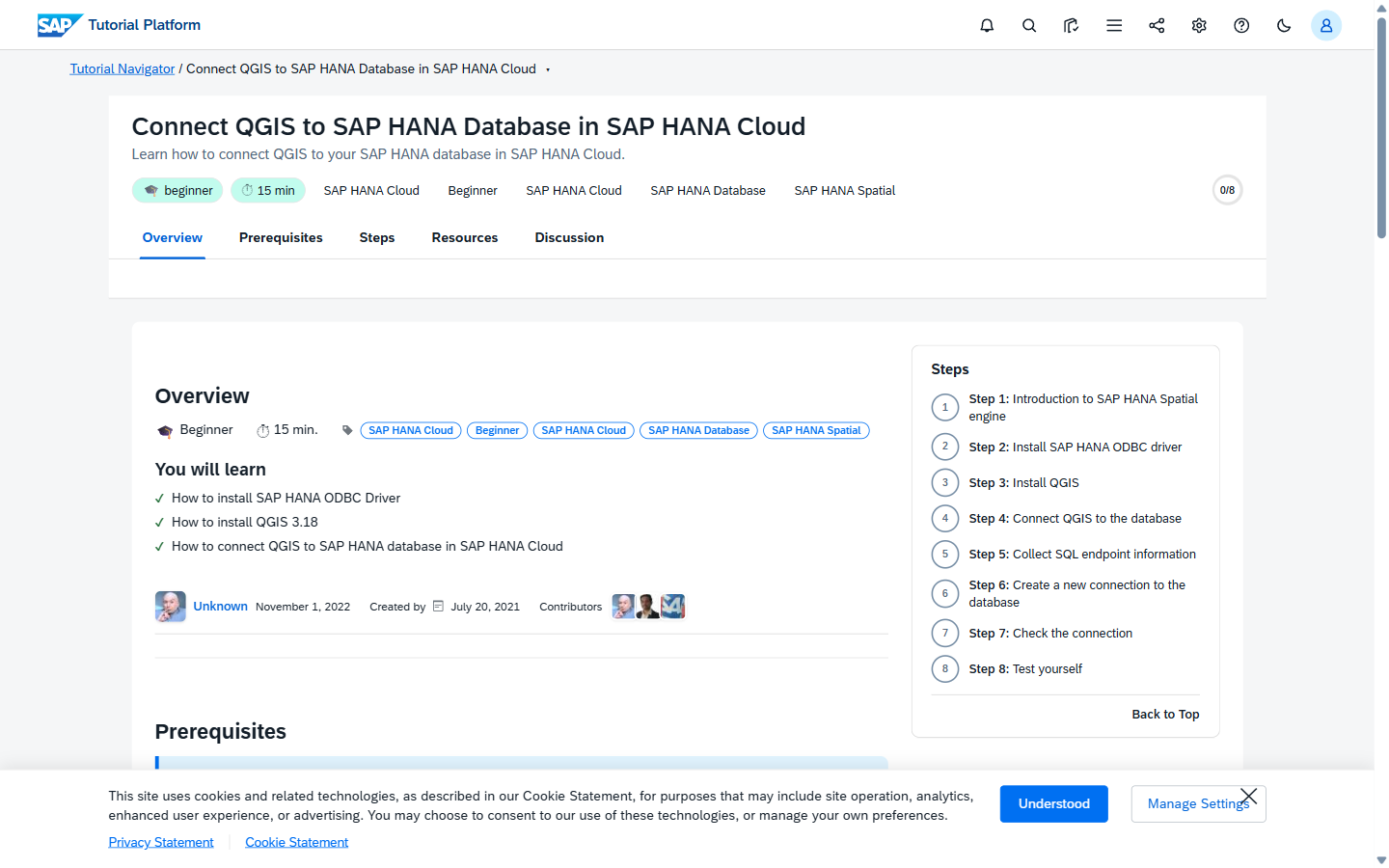
Every tutorial is a Fiori Object Page with proper sections, tabs, and a wizard-style progress indicator at the top.
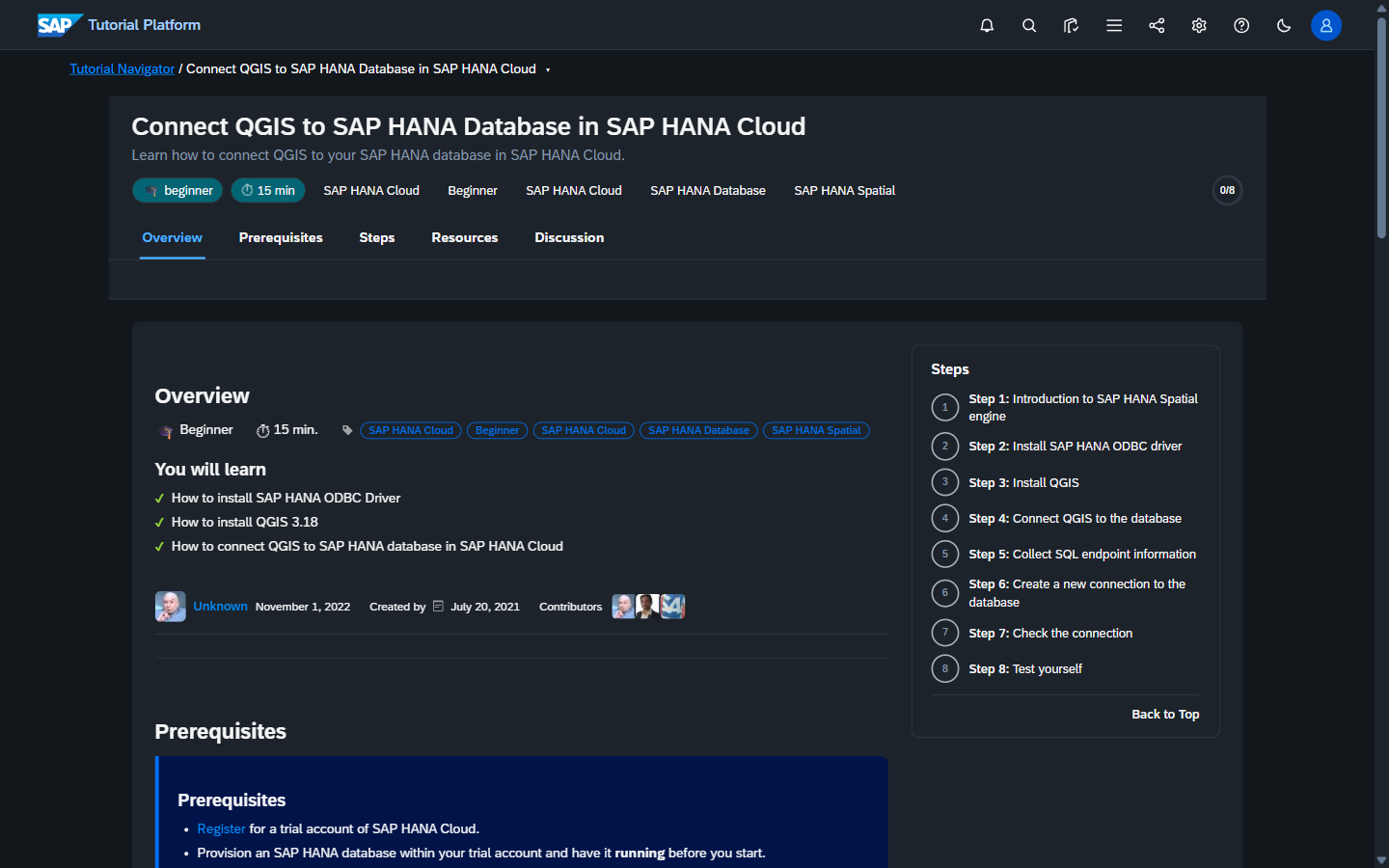
Same layout in dark theme — tutorials respect OS preference, persisted per-user, with a cross-fade transition when you toggle:
Detailed reference: Theme variants.
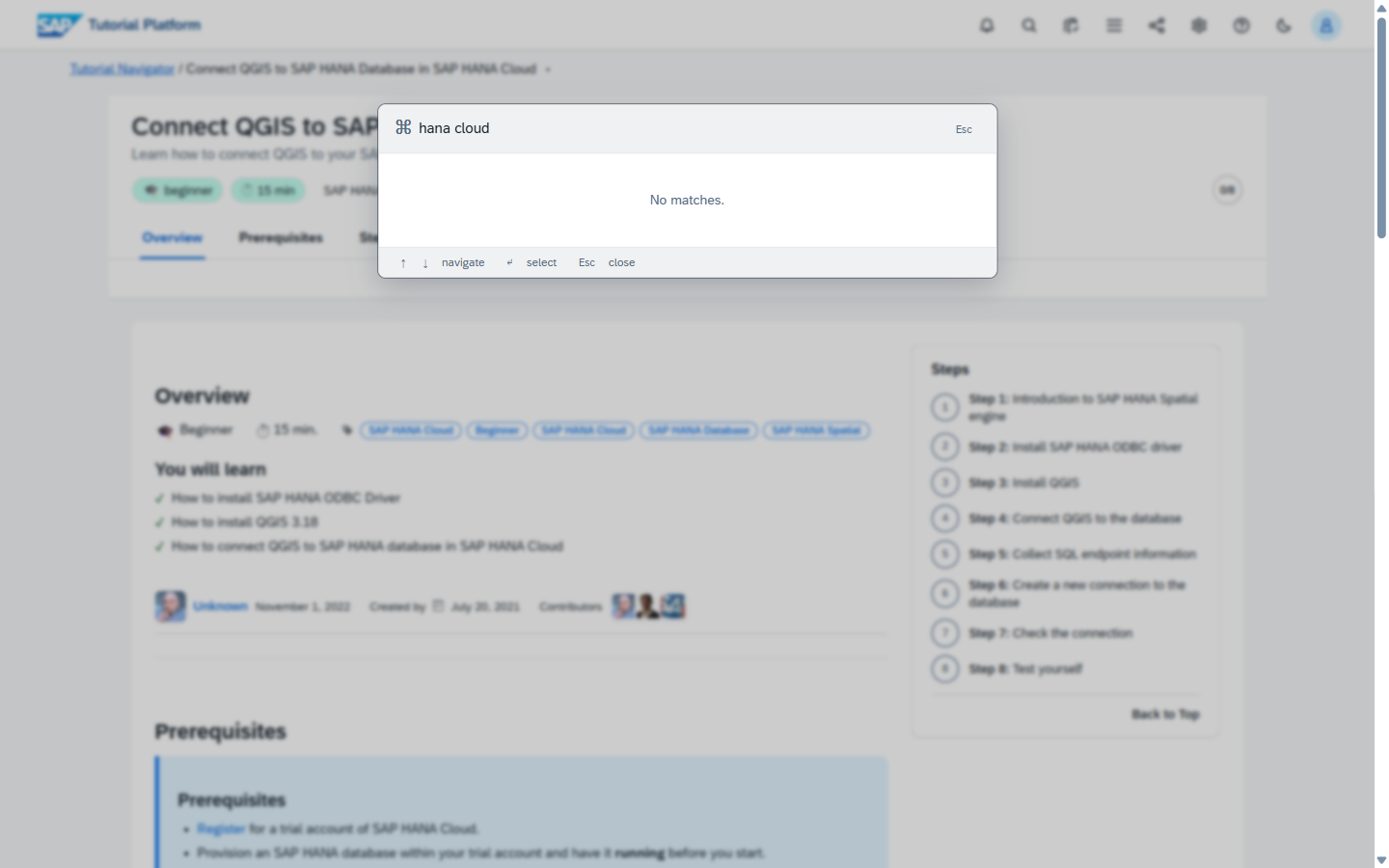
A search that opens with ⌘K
Every page. Every state. Searches tutorials, jumps to a step, runs commands.
Reader mode
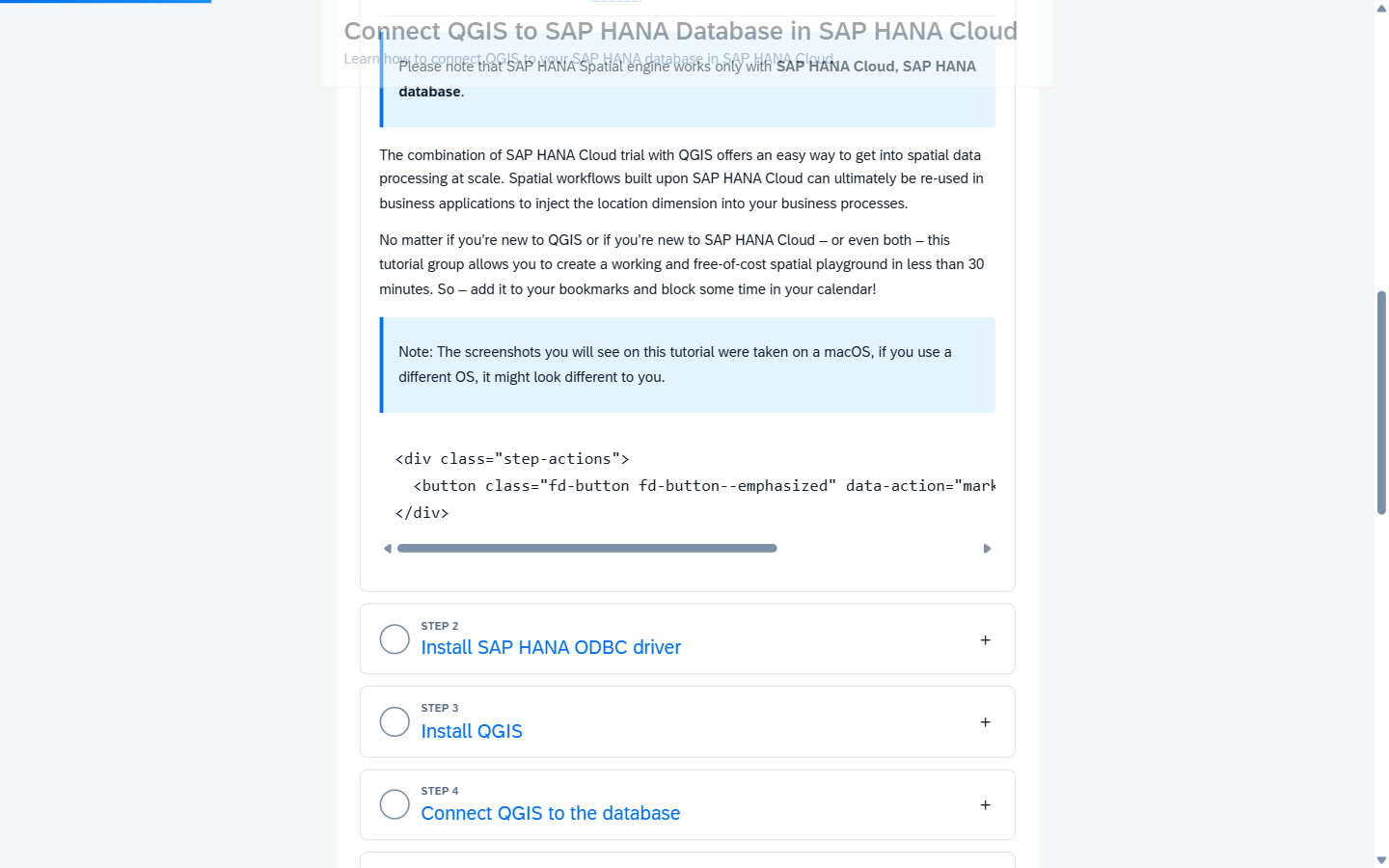
Press f on any tutorial. The chrome melts away — you get just the prose. Press f again to come back.
Memory and details: [project_u12_reader.md] in the team memory index. Configurable per-user; remembers your last setting.
Code blocks with tabs and sync
Tutorial author writes parallel code blocks for macOS / Windows / Linux. Reader picks once. Every other code-tab on the page snaps to the same OS. Selection persists across tutorials via localStorage.
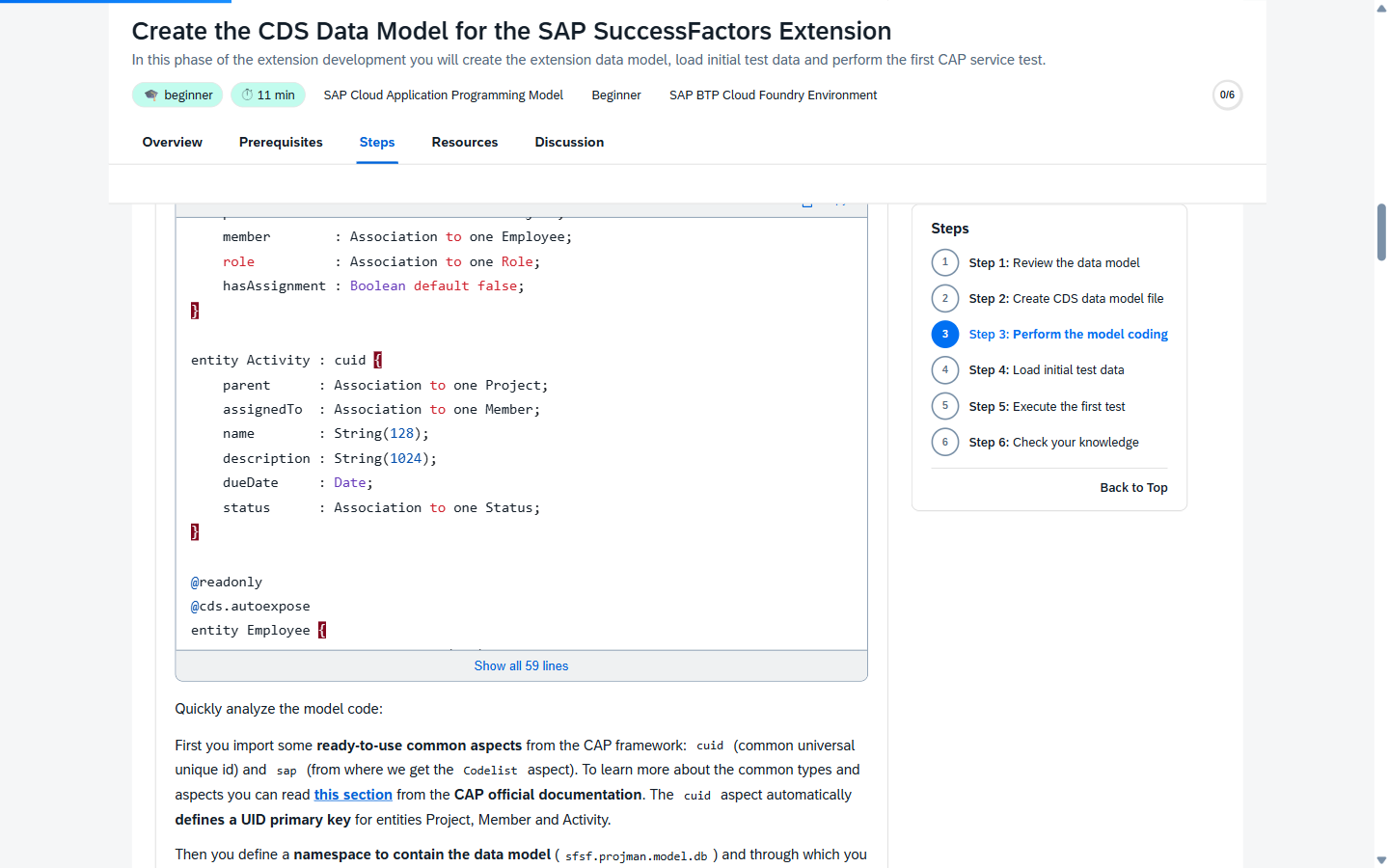
Author guide:
{{< codetabs >}}in writing-tutorials.
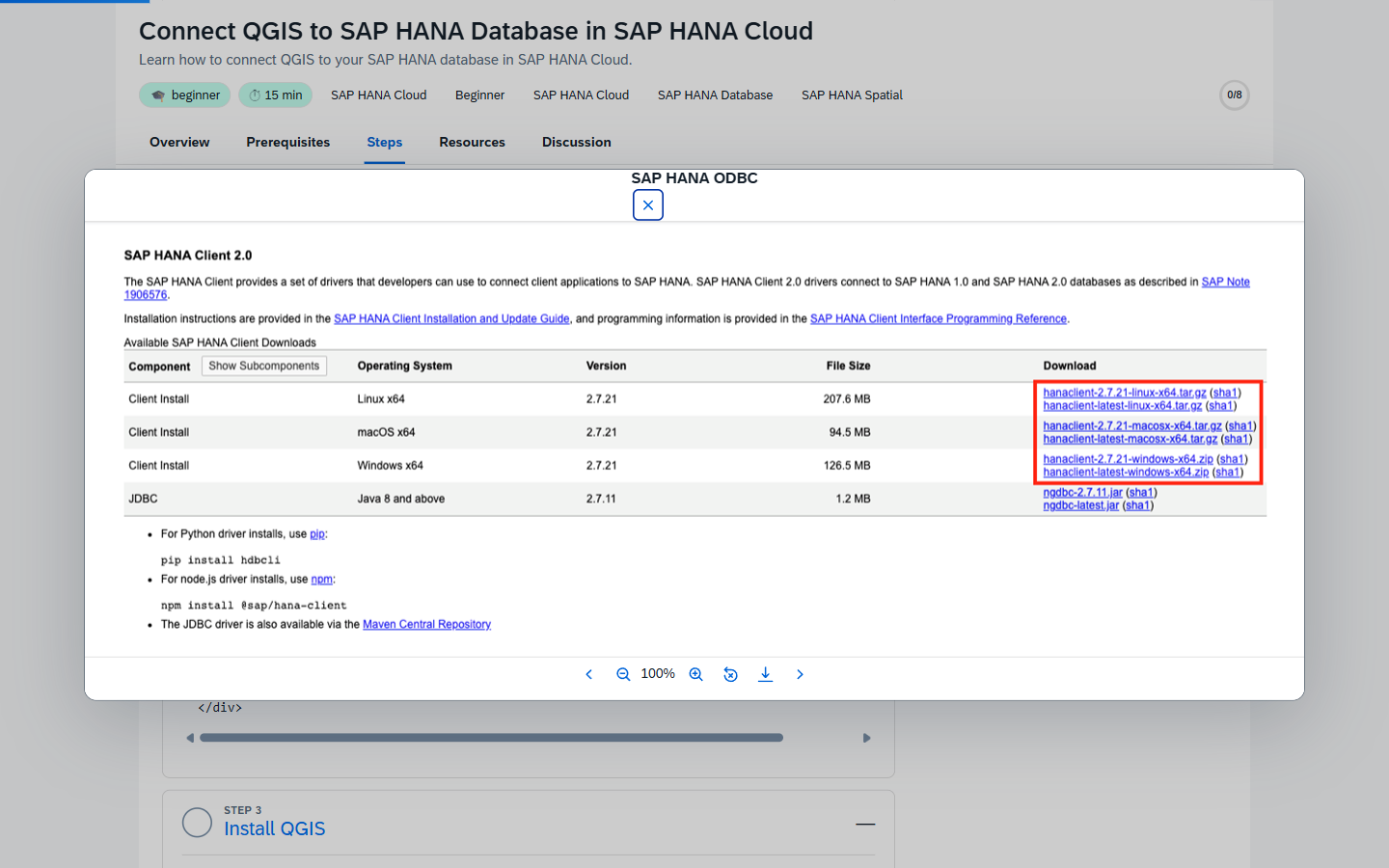
Click-to-zoom lightbox on every screenshot
Every image in your tutorial markdown becomes zoomable, pannable, gallery-navigable, and individually deep-linkable (#img-3).
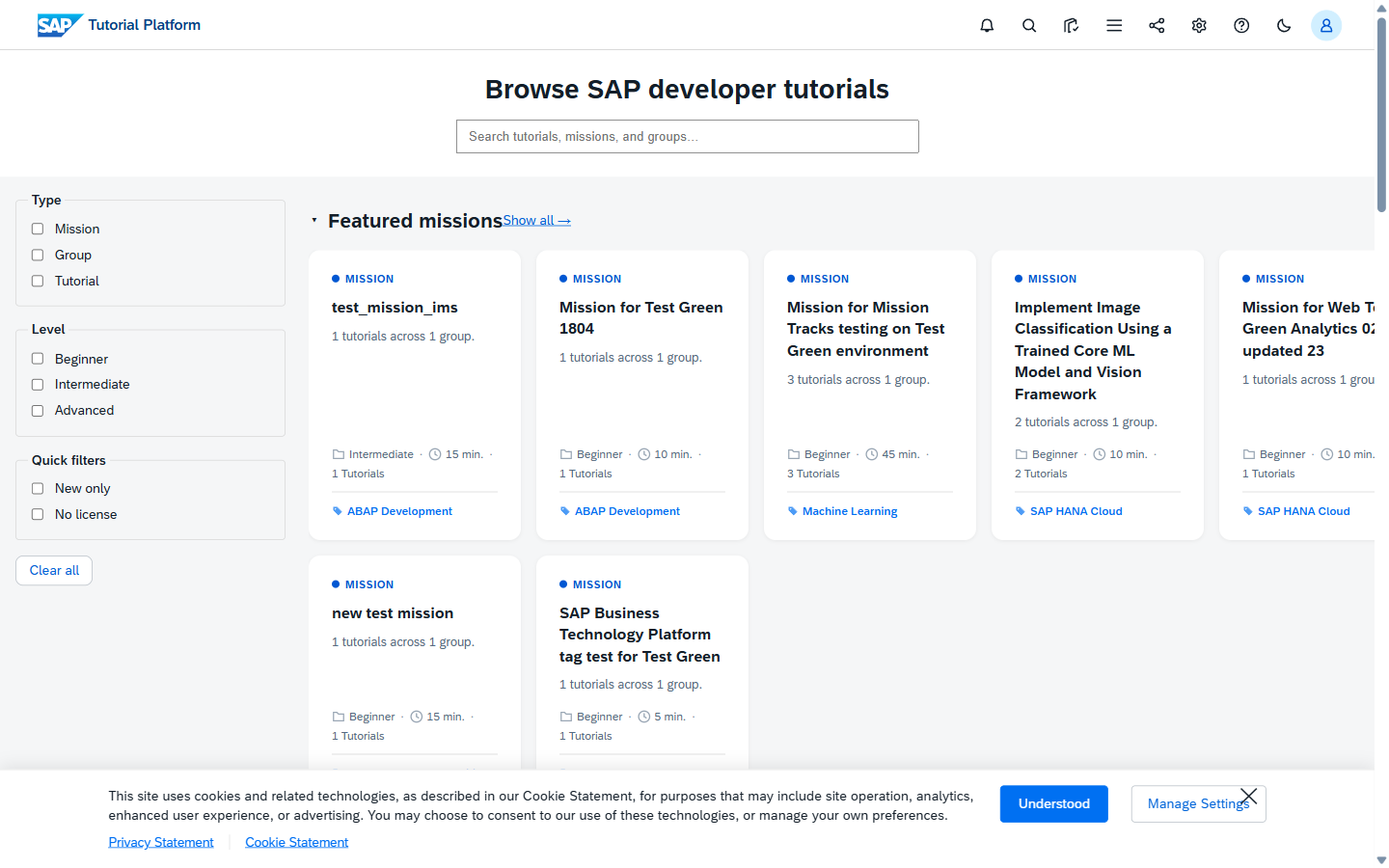
A landing page that's actually a browse experience
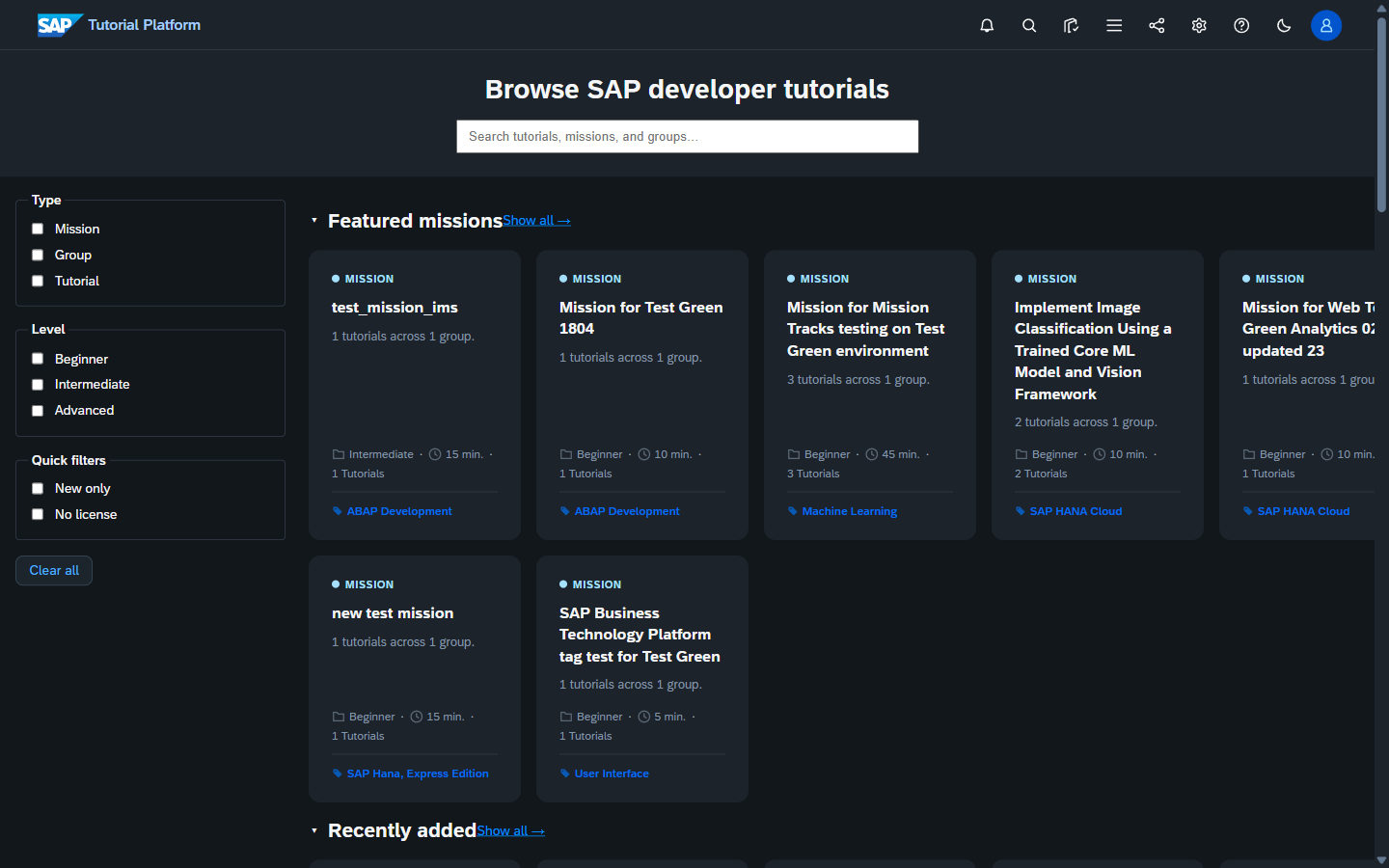
Not a marketing splash with a search box. The home page is the catalog: a curated rail of new content, mission rails, category rails, and faceted filtering. Cmd-K still works from here.
Same view in dark theme, since I know you'll ask:
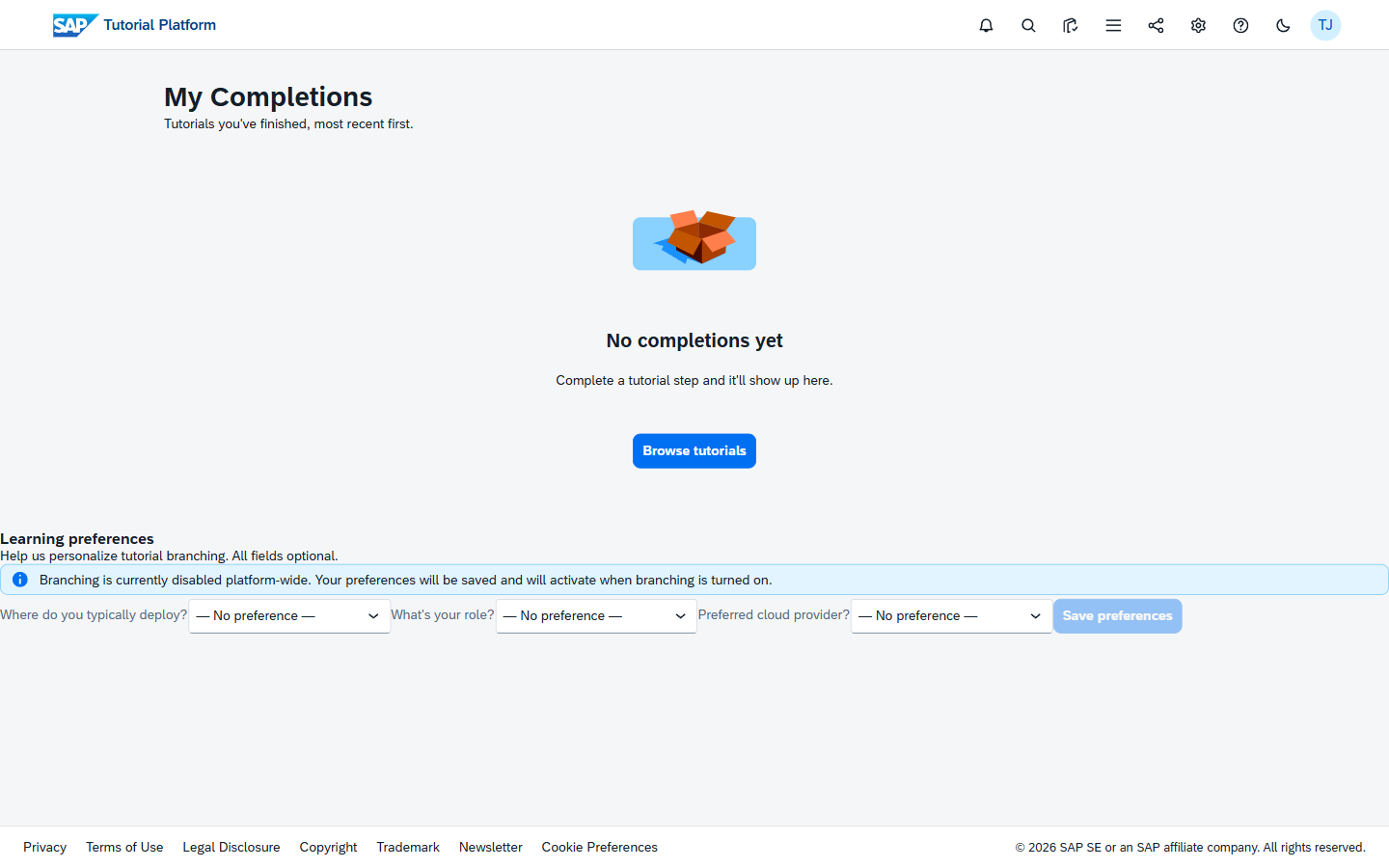
A profile page with a timeline
Each user gets a /me/ page that shows their recent activity in a ui5-timeline — completions, started tutorials, prizes earned during events.
Joule chat with step context
Stuck on step 4 of an ABAP tutorial? The Joule button on the shellbar (and the step-help FAB on the Object Page) opens chat pre-seeded with the slug, the step you're on, and your progress. It RAGs over the tutorial content — so it answers from this tutorial, not a generic SAP knowledge dump.
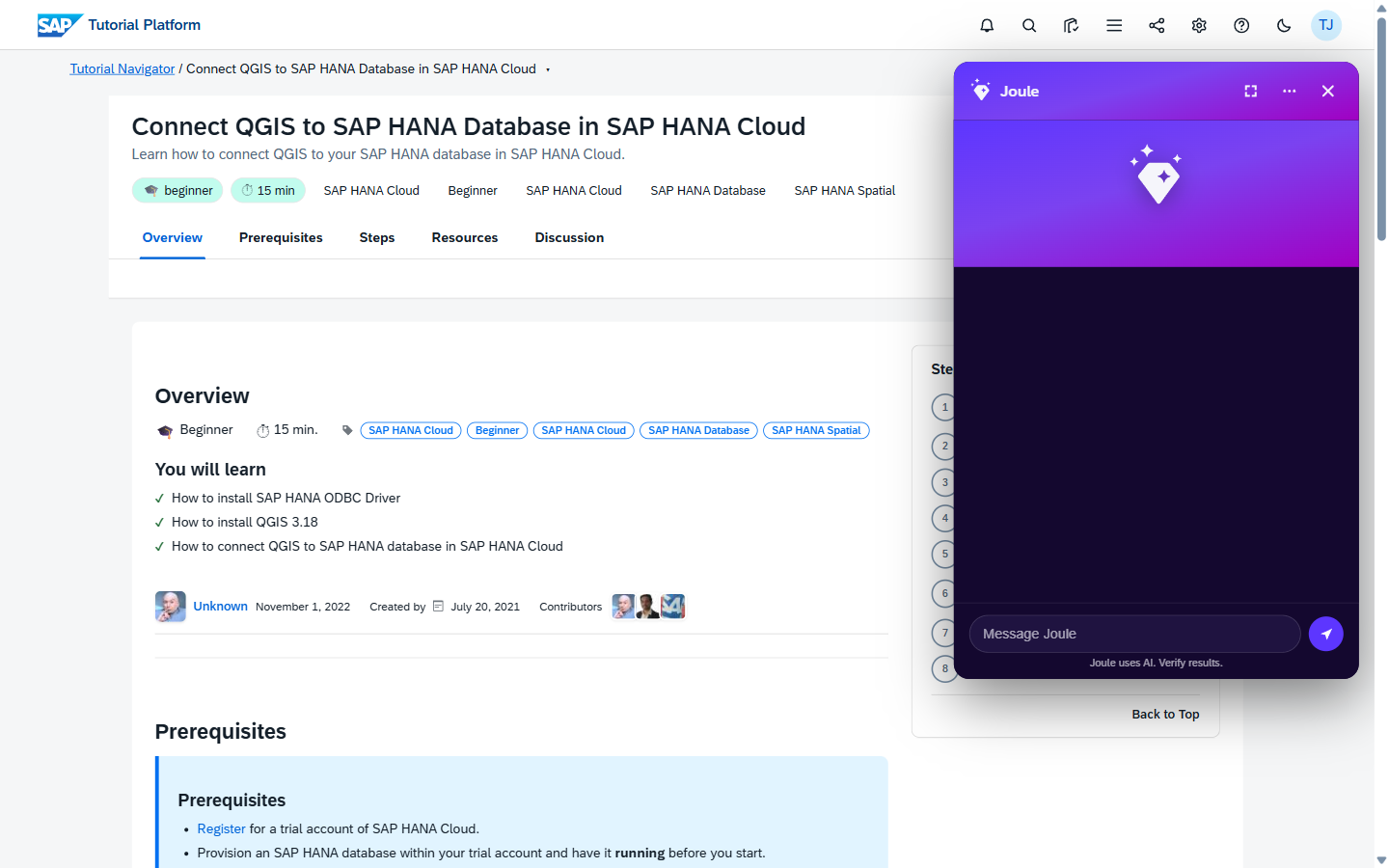
See: Using Joule chat and Joule architecture.
Inline validation widgets
Replaces the AEM "click and see if you got it right" pattern. Hand-authored MCQs, AI-authored MCQs, and AI-graded free-text answers all render through the same widget — readers can't tell which is which.
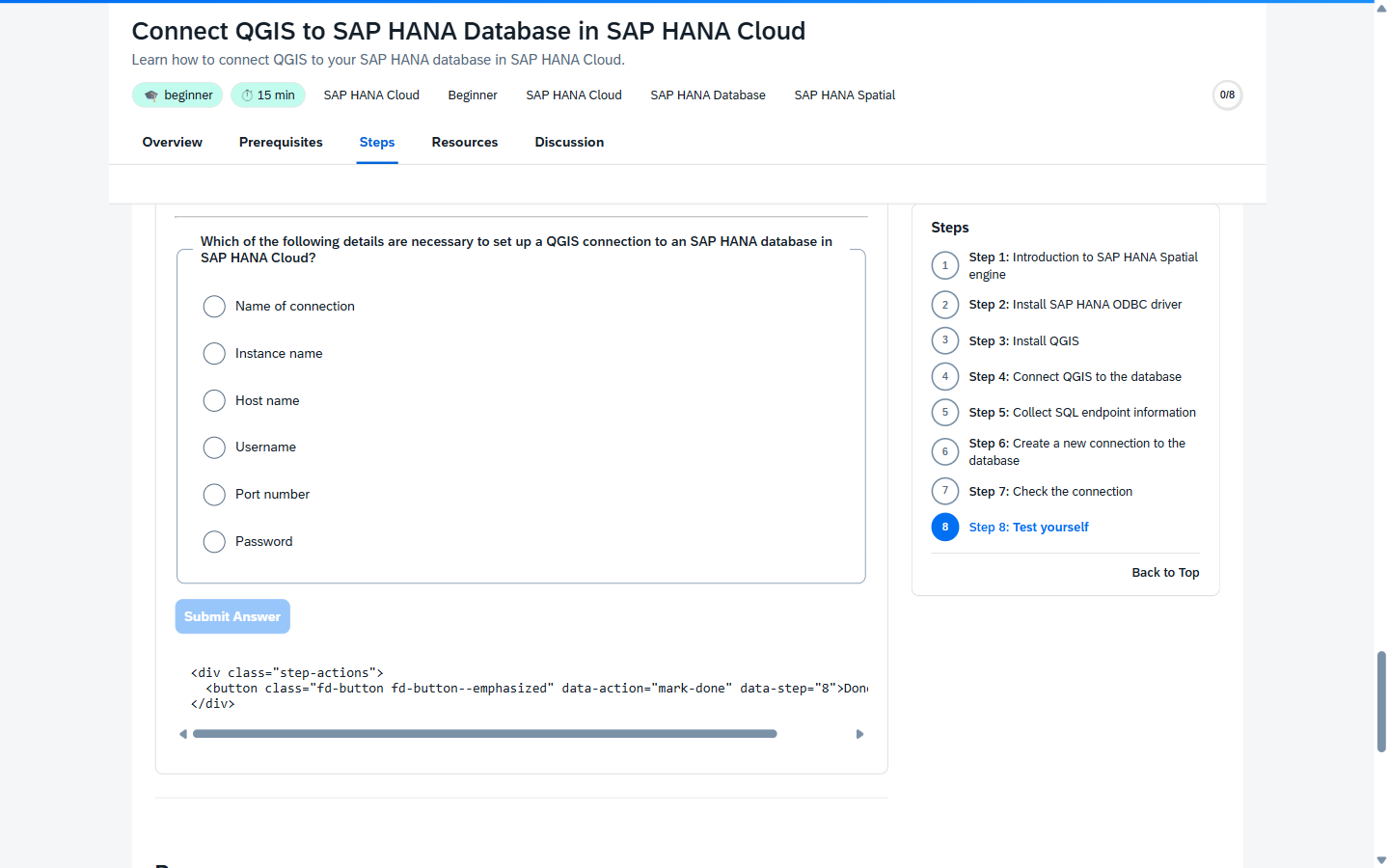
Architecture: Validation widget · Free-text grader.
Mermaid diagrams that match the rest of your tutorial
Wrap a Mermaid graph in a {{< mermaid >}} shortcode and you get a properly themed diagram — SAP Horizon palette, lazy-loaded only on pages that actually use it, visibility-gated so off-screen diagrams don't render until you scroll. Flowcharts, sequence diagrams, ER diagrams, state diagrams — they all light up.
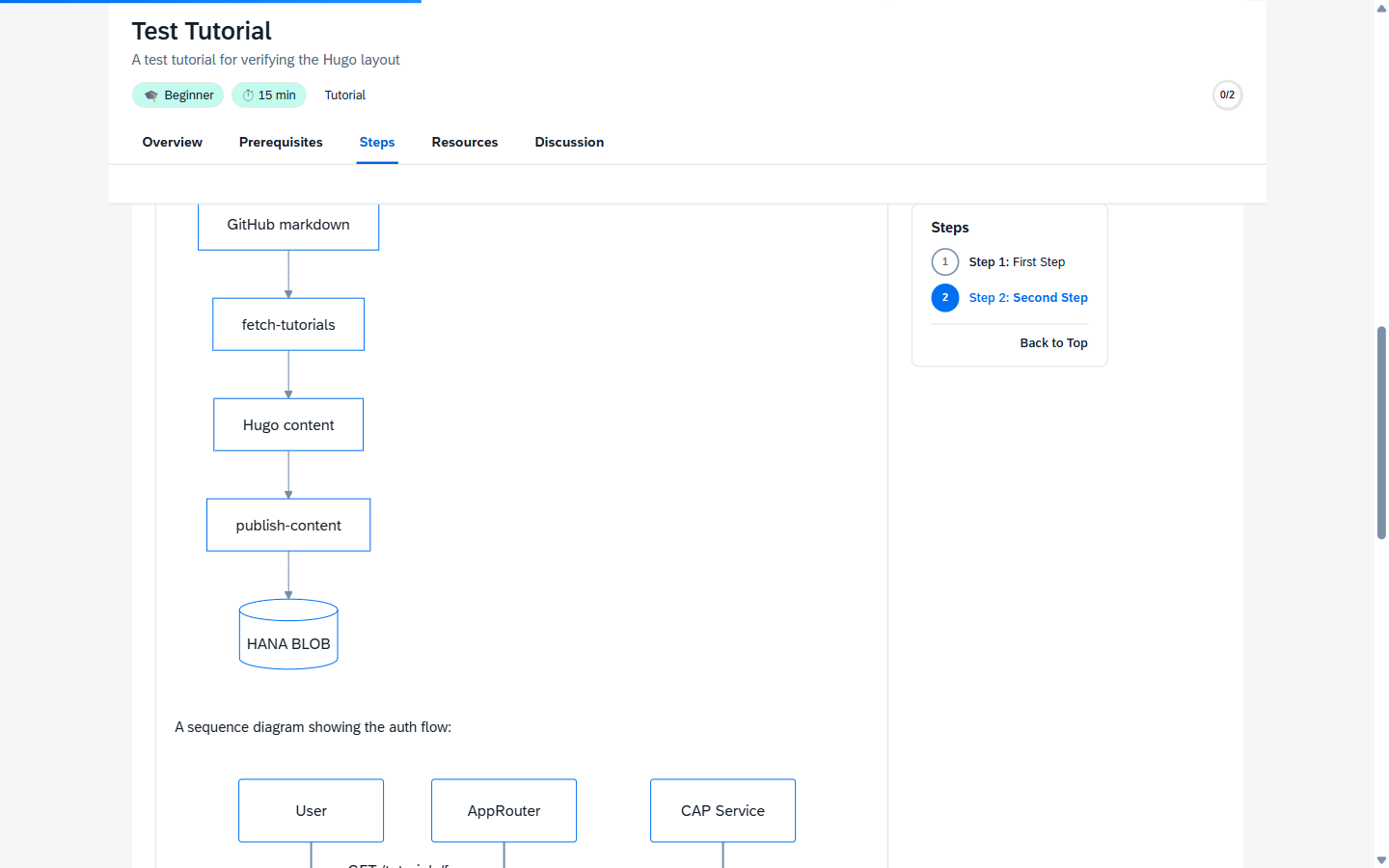
What this gets you that AEM didn't:
- No external dependency. AEM authors who wanted a diagram had to ship a PNG (which then aged badly when the architecture changed). Mermaid lives inline in your markdown — when the diagram is wrong, you fix the source, not Photoshop.
- Searchable, accessible. Mermaid diagrams render to SVG with
<text>elements — screen readers and the site search index can both read them. PNG architecture diagrams were an a11y dead-end. - Theme-aware. When the reader flips to dark mode, the diagram re-renders in the dark Horizon palette. PNGs don't.
Hands-free navigation (experimental)
Open the Tutorial preferences popover from the shellbar gear icon and you get reader mode, plus two experimental webcam-driven controls:
- Eye-tracking auto-scroll — look near the bottom of the page for ~½ second and the page scrolls down. Frees up the keyboard hand when you're following a tutorial with one hand on the IDE.
- Hand-gesture step nav — show an open palm to the camera, then sweep left or right to go to the previous or next step. Useful in workshops, conference demos, or any time your hands are sticky.
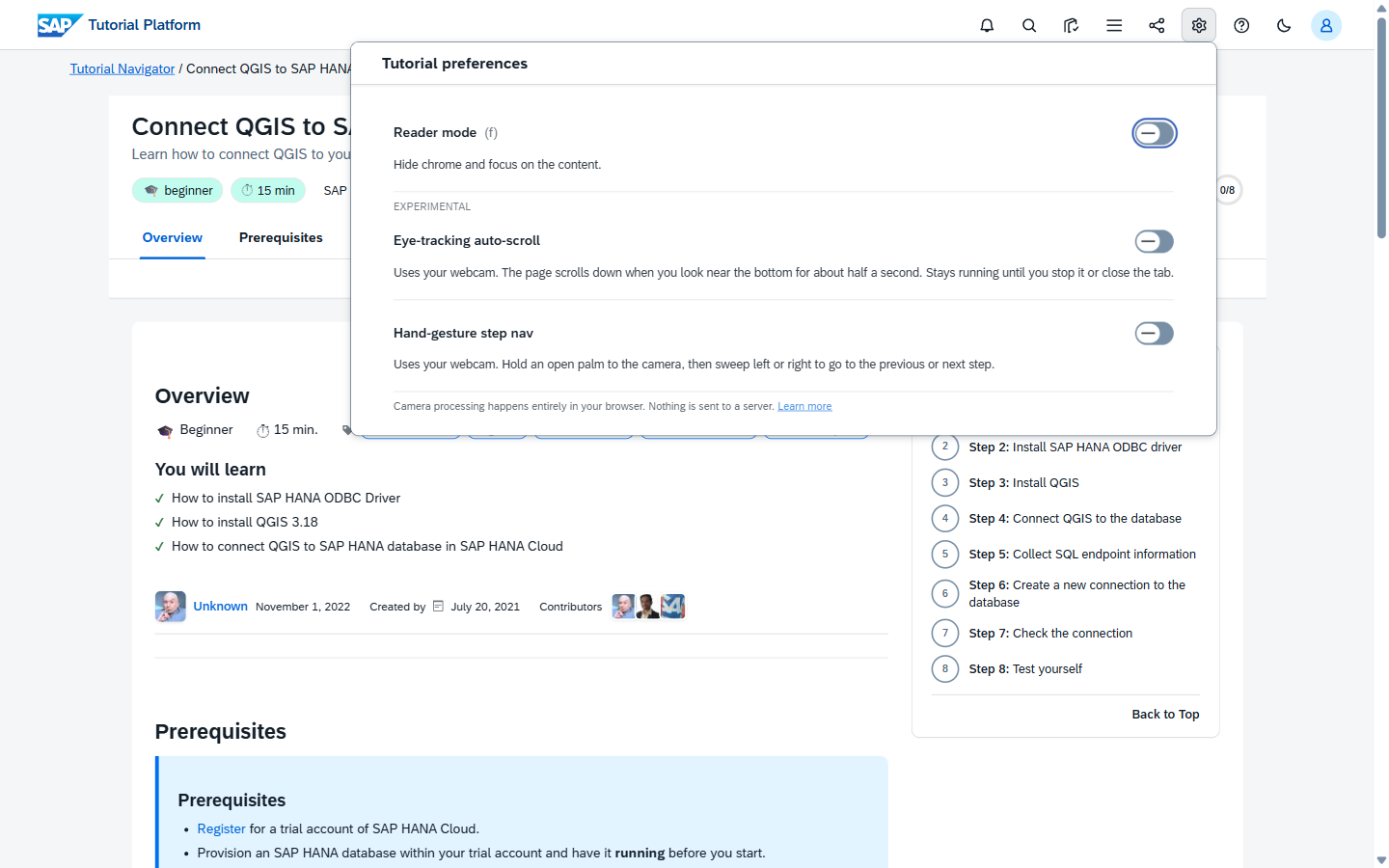
Privacy is the headline feature. All vision processing runs in-browser via MediaPipe — no frames, no landmarks, no anonymized metrics, nothing leaves the tab. The camera light stays on while you're using it; toggling off stops the camera immediately.
Reader-side details: Experimental features.
Custom-themed event spaces
When SAP runs an event — TechEd Developer Garage, Sapphire CodeJam, internal hackathons — the platform now hosts a per-event App Space at /app-space/?theme=joule (or ?theme=sapphire). Same tutorials, same progress tracking, themed hero, themed track cards, themed progress rings. No fork, no separate microsite, no "let's spin up a marketing landing page in Adobe."
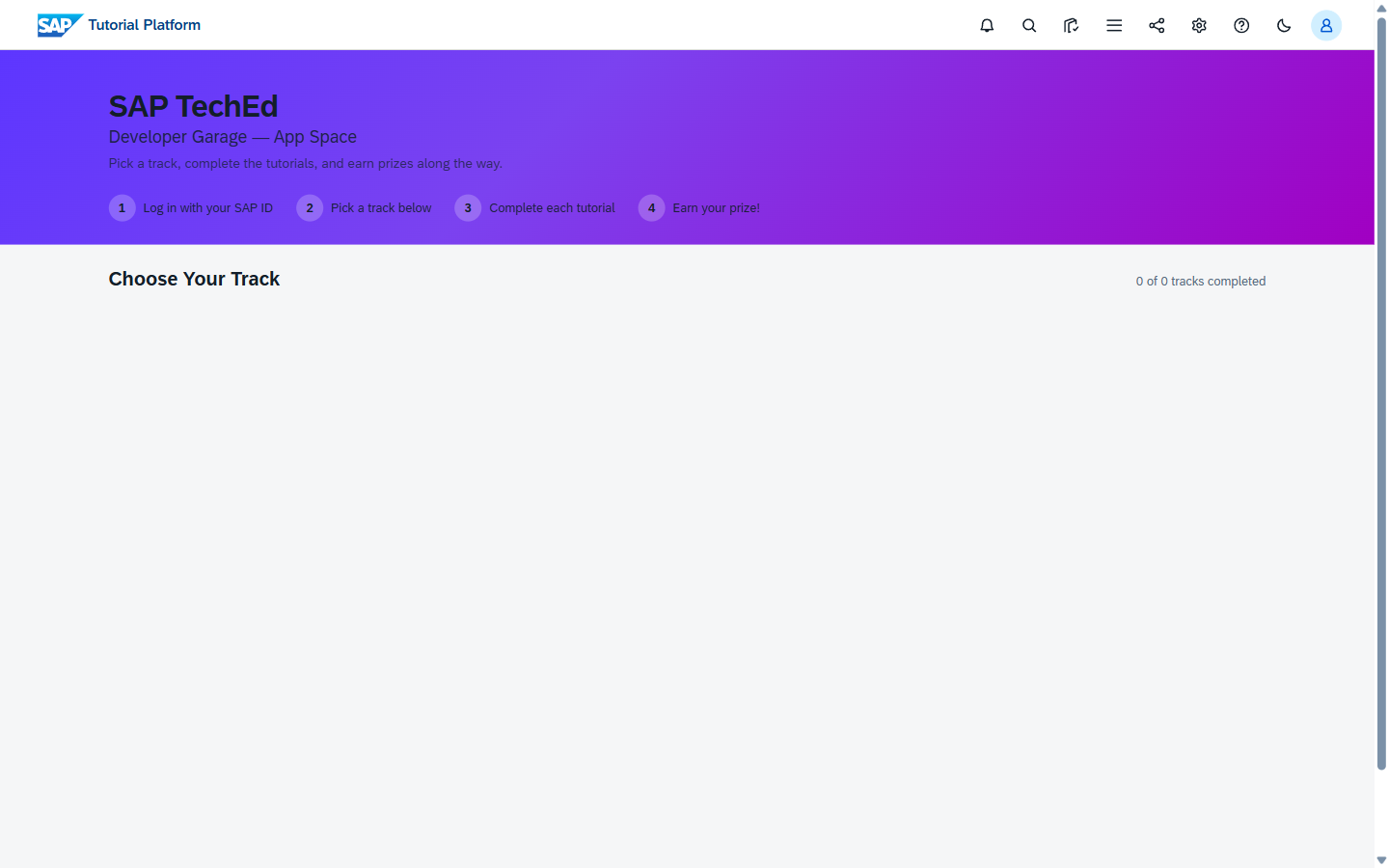
Themed hero, themed stat cards, themed track cards, themed progress rings — the whole space inherits the event identity. Authors don't write any extra markdown; the curation is in the Events admin app.
Author guide: Center admin covers spinning up an event, picking a theme, and curating tracks. Theme variants reference: Theme variants.
Live event-display dashboard with real-time completions
Point a monitor at /event-display/?eventId=<id>&theme=<joule|sapphire> during your event and you get a rotating dashboard that updates in real-time as contestants complete tutorials. Headline tutorial-completion count, per-track breakdown bars, live ticker — driven by Socket.IO over the /ws/display namespace, scope-gated to DisplayApp so anyone can't just connect.
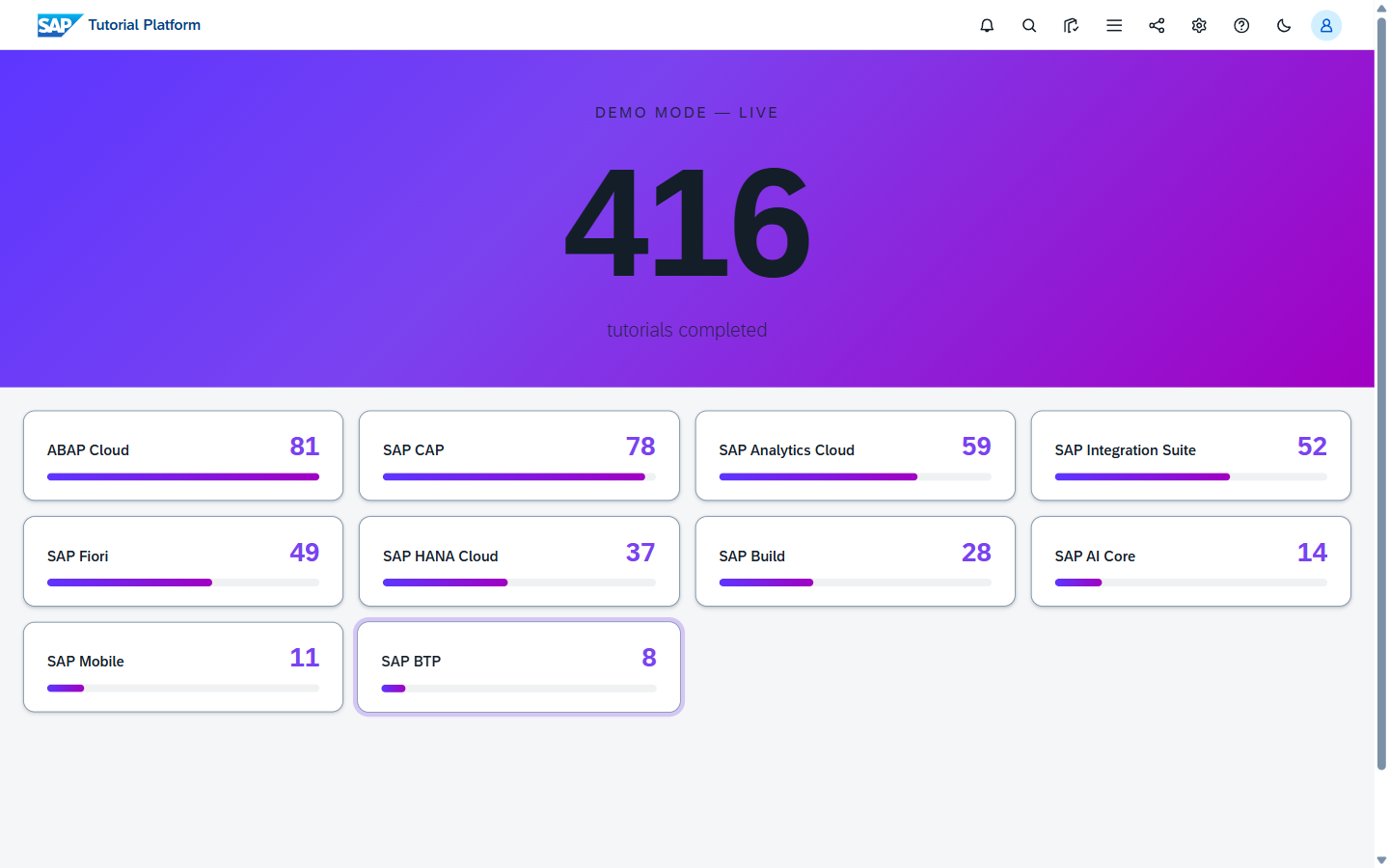
What this replaces: hand-built spreadsheets shown on a laptop, broken Tableau dashboards, Java IMS pages no one knew the URL of. What it costs: zero — it's just a URL.
?demo=true in the URL above runs simulated data so you can rehearse before the event without polluting real telemetry. The same dashboard accepts ?bucketCount=N to cap how many tracks render individually (the rest collapse to "Other").
A dozen smaller polish items
Things you'll notice but never had to ask for:
- Glossary tooltips — first occurrence of "BTP" / "CDS" / "RAP" / "AMDP" / etc. on a tutorial page gets a hover-popover with the definition.
- Skeleton loaders during hydration — no layout shift on slow connections.
- Reading-progress bar + scrollspy that lights up the current step in the right rail.
- Mobile bottom-sheet for steps on phones — natural thumb-zone interaction instead of a tiny accordion.
- View transitions between tutorials — title morphs in place when navigating between two tutorials in the same mission.
- Illustrated empty states instead of "0 results" text.
- Toasts when you complete a step, with a message-strip CTA on the final step nudging you toward the next tutorial in the mission.
- Click-to-share with copy-link in the shellbar.
- An inline rating + comment widget in the Discussion tab — replaces the AEM "stars" component.
What changes for you, the author
Almost nothing about your day-to-day workflow. You still:
- Open VS Code with the Sage extension.
- Edit the markdown in the relevant
sap-tutorialsGitHub repo. - Open a PR, get reviewed, merge.
What's new is the set of things you can now reach for inside that markdown.
1. Preview your PR before it's live (the QA channel)
This is the single biggest author quality-of-life improvement.
Before: You opened a PR. You merged. You waited for the next AEM hourly scheduler. You loaded production. You discovered a typo. You opened another PR.
After: Open a PR against an *-Contribution repo. The QA channel rebuilds and publishes to /tutorials-qa/<your-slug> (XSUAA-gated by the Tutorial.Author scope) — usually within a few minutes. You see exactly what your reader will see. Then you merge.
Setup walkthrough: QA channel bootstrap.
2. AI-authored quizzes (opt-in)
Add [AUTOAUTHOR_QUIZ:mcq] or [AUTOAUTHOR_QUIZ:text] directives to your tutorial frontmatter, and the build pipeline calls an LLM at fetch time to generate a step-level (or tutorial-wide) quiz from your prose.
- Author opt-in per tutorial. Only tutorials with an
[AUTOAUTHOR_*]directive in theirrules.vrgenerate anything — no directive, no LLM calls. As of #312 (2026-06-27) the CI side is always-on, so the moment your directive lands upstream the next rebuild picks it up. - Cached — once generated, a quiz lives in
.tutorial-cache/<slug>.ai-quiz-cache.jsonand only regenerates on content change. - Capped — default 200 LLM calls per build, configurable.
- Indistinguishable from hand-authored quizzes at runtime — same
ValidationQuestionshape, same widget, same grading.
Architecture and prompt details: AI-authored quizzes.
3. AI-graded free-text answers
Before this, [VALIDATE] quiz blocks could only be MCQ. Now you can write:
[VALIDATE_2]
Question: Why does CAP recommend using `cds.ql` over raw SQL?
Type: text
ExpectedConcepts: type-safety, dialect-independence, query-composition
[VALIDATE_END]
…and the reader's typed answer gets graded by an LLM against the concepts you specified. Partial credit is supported. The grader is conservative — false negatives are preferred over false positives.
Prompt and rubric: Free-text grader.
4. Paste-code AI feedback
For coding-heavy tutorials. Add a [CODECHECK_N] block with a reference solution and a rubric. The reader pastes their attempt, the AI compares it semantically to your reference, and returns specific feedback — not just pass/fail.
- Behind the
ChatSettings.codeCheckEnabledflag. - Per-user 30/hour rate limit, per-step 5 / 5-minute rate limit.
- Submissions persisted in the
CodeCheckSubmissionsHANA entity for analytics.
5. OS-conditional content (with first-class BAS support)
One markdown source, four reader views — Windows, macOS, Linux, and SAP Business Application Studio:
{{< os-variant >}}
{{% os "macOS" %}}
Run `brew install hugo`.
{{% /os %}}
{{% os "Windows" %}}
Run `winget install Hugo.Hugo.Extended`.
{{% /os %}}
{{% os "Linux" %}}
Run `sudo apt install hugo`.
{{% /os %}}
{{% os "BAS" %}}
In the BAS terminal, run `npx --yes hugo`.
{{% /os %}}
{{< /os-variant >}}
The reader's OS picker is rendered as a ui5-segmented-button directly above the Steps panel — Windows / macOS / Linux / BAS. Selection persists per-user; no more "Mac users see this section / Windows users see that section" duplicated subtrees.
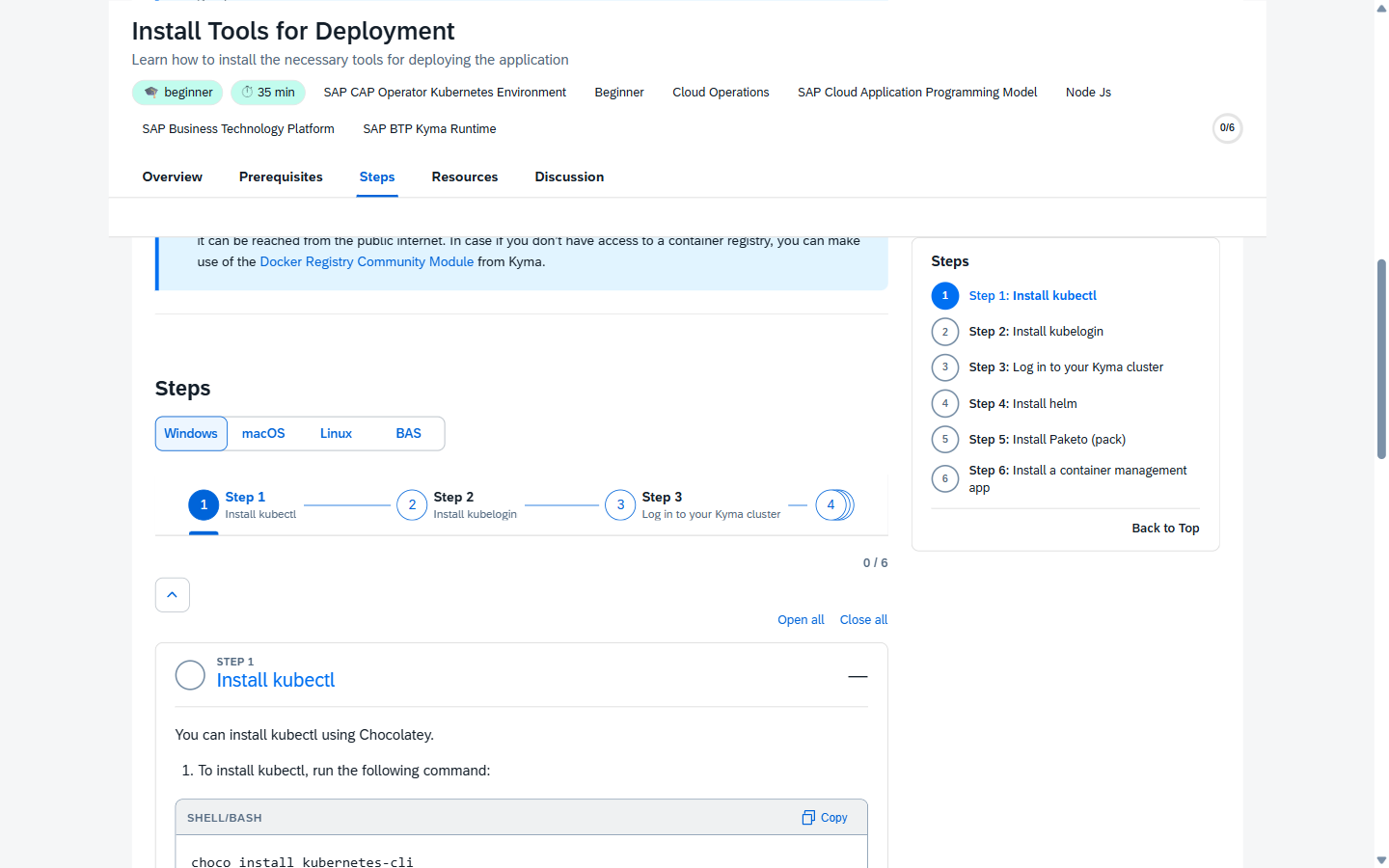
Why BAS deserves its own segment, not just "Linux." SAP Business Application Studio is the cloud-IDE story for CAP, ABAP Cloud, and Fiori work — and the install/setup steps for a BAS environment are materially different from a generic Linux box. Different package availability, different filesystem layout, different terminal capabilities, different default tooling. Putting BAS under "Linux" forced authors to write conditional prose inside a Linux block ("if you're on BAS, do this instead…") which the reader had to mentally filter every time. With BAS as a first-class OS segment, the author writes the BAS-specific commands once and the picker handles the rest.
If your tutorial is BTP-flavored and the reader is going to follow it inside BAS anyway, set BAS as the default by writing only the BAS variant — the picker still appears for the other three but lands on BAS first.
6. Branched missions and step-level branches
For missions where some steps differ by environment (cloud vs on-prem), some steps are skip-able for advanced users, or some tutorials are alternates within the same mission ("pick one of these three IDEs").
- Mission alt-groups — a mission can declare two or three alternative tutorial sets; the reader picks one.
- Step-level branches — within a single tutorial, some steps can be conditional ("if you're on BTP trial, start here / if you're on a free-tier subscription, start here").
- Telemetry — the Missions admin app shows a Branch Performance section: which branch readers picked, completion rate per branch, drop-off points.
- Staleness lint — when one branch hasn't been touched in 6 months and the other has, the lint suggests collapsing.
- User override — readers with strong preferences can pin a default branch in their profile.
Author guides: Branched missions · Branched tutorials · Branching cookbook · Reading branch telemetry · Pilot runbook.
7. Tutorial markdown lint
A new pre-PR lint catches the most common author-side smells before review:
npm run lint:tutorial-markdownIt catches things like dangling [OPTION BEGIN] blocks, broken cross-tutorial links, missing alt text on images, and the parser-confusing patterns that used to ship to production and break a step layout.
8. Force-refresh a single tutorial
When a typo lands in production and you need it gone now, no waiting for the next full content rebuild:
- Go to the rebuild-content workflow in GitHub Actions.
- Click Run workflow.
- Type your slug in the optional
slugfield. - Click the green button.
The fetch step honors TUTORIAL_SLUG, busts that one slug's markdown cache, regenerates the rest from cache, and skips the catalog upload so the partial run doesn't overwrite anything else.
What changes for operators and admins
Even if you're "just" an author, this section explains the tools your support team now has — which means you'll get faster help when something is off.
A unified admin shell
/admin-ui/ is one application — sap.tnt.ToolPage shell with collapsible side nav, theme switching, Router-managed content area. It loads 14 Fiori Elements apps as headless components: Accomplishments, Accounts, Analytics, Categories, Changelog, Events, Feedback, Groups, Joule, Missions, Operations, Prizes, Tags, Tutorials.
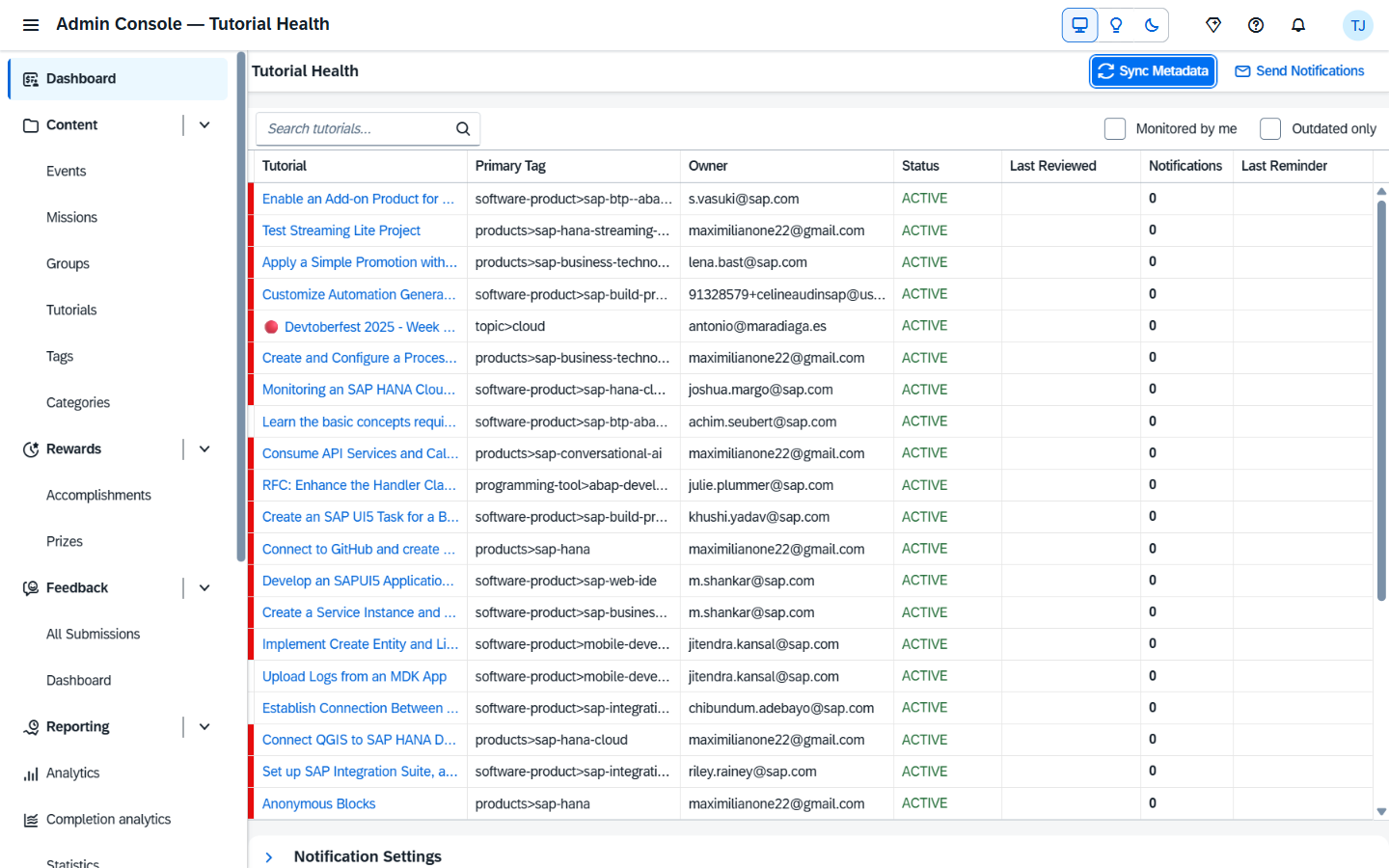
Plus custom views for Board (event overview), Statistics, TutorialDashboard, and a Privacy policy admin.
Theme: SAP Horizon (light) / Horizon Dark, OS-detected, per-user persisted.
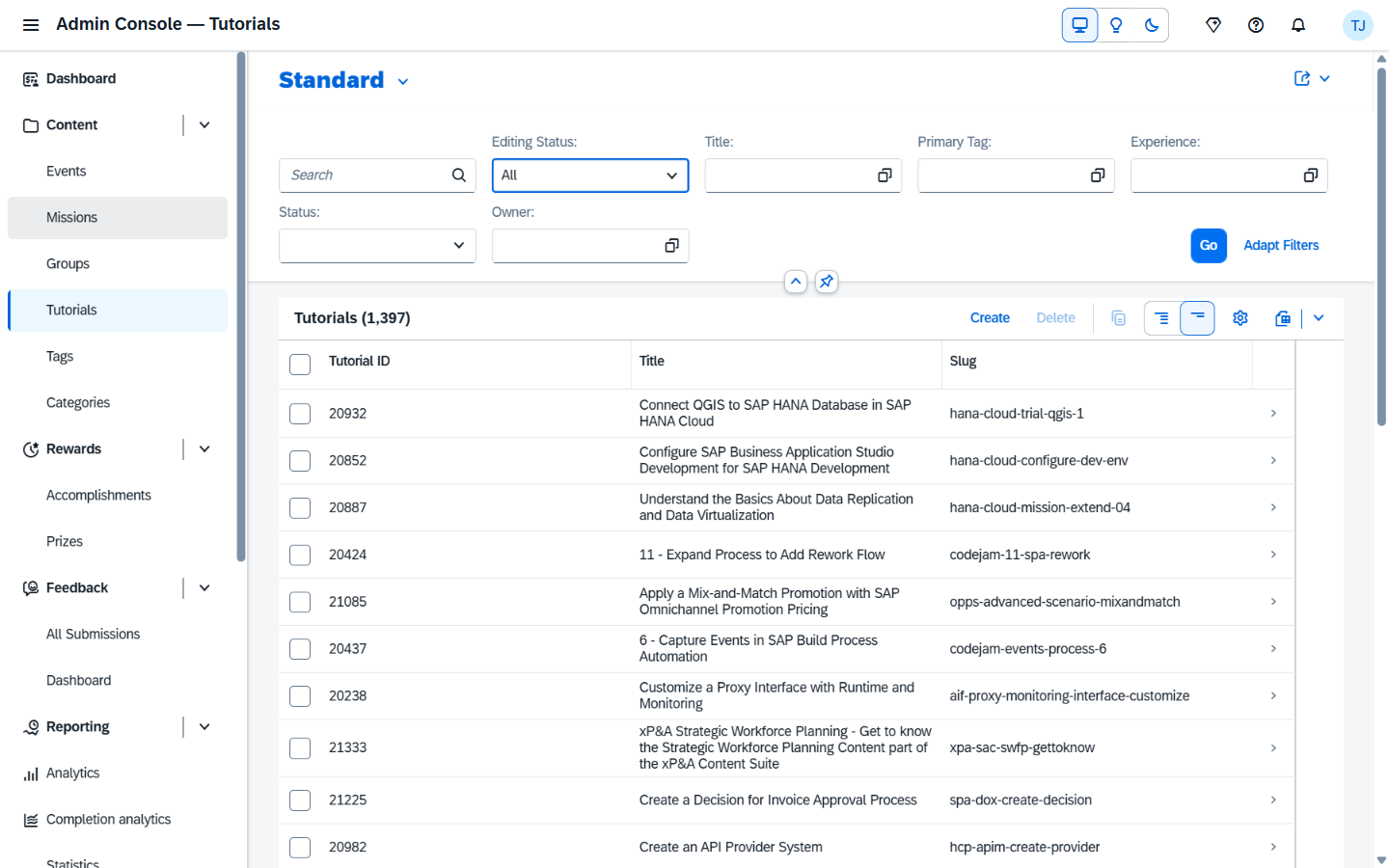
The Tutorials Fiori Elements list — admins can soft-delete, toggle active state, and edit metadata inline:
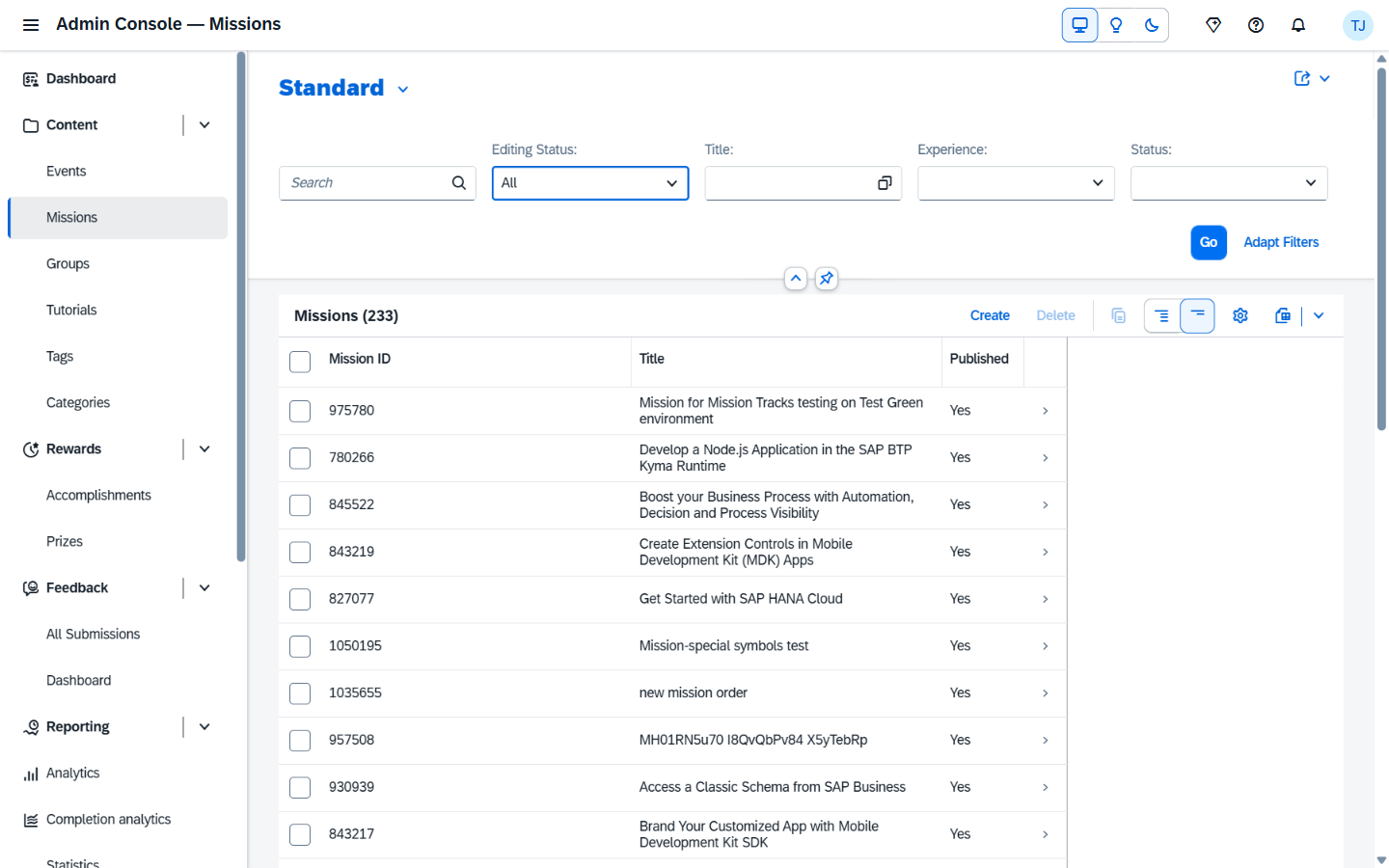
The Missions admin app (where the Branch Performance section lives once you have branched missions in production):
Every editing app is draft-enabled
The admin entities for Missions, Groups, Events, Accomplishments, Prizes, and Tutorials are all annotated with @odata.draft.enabled. That's not a small detail — it changes the entire editing flow.
What you get for free, on every one of those entities:
- No accidental publishes. Hitting "Edit" creates a private draft of the row. Your half-finished change isn't visible to anyone else, isn't picked up by
/build/catalog, isn't visible to readers, until you click "Save." - Resume where you left off. Close the browser tab mid-edit, come back tomorrow, the draft is still there with your changes. The Fiori Elements UI shows it as a "Draft" lozenge so you can see at a glance what's unsaved.
- One author per row. Drafts are per-user. Two admins editing the same Mission don't clobber each other — the second one sees a "currently being edited by Thomas" lock instead of silently overwriting.
- Cancel is real cancel. Discard Draft throws the half-finished work away atomically. No "did I save? did I revert? what state is this row in?" guessing.
- Validation runs at activation, not at every keystroke. You can leave required fields blank in the draft, fill them in later, and only at "Save" does CAP run the
@assert:notNullchecks. Editing a complex row doesn't fight you.
What this replaces: the AEM "edit-and-pray" pattern where every save was instantly published, two authors editing the same dialog meant whoever clicked Save last won, and there was no way to keep a partial edit overnight without copying it to a sticky note.
Architectural note: draft-enablement is one annotation per entity in app/admin-annotations.cds —
annotate AdminService.Missions with @odata.draft.enabled;etc. CAP wires up the rest (draft tables, draft activation flow, lock semantics, Fiori Elements UI integration).
Ad-hoc analytics that doesn't need a SQL bench
/analytics-ui/ is a Vue 3 SPA — peer of the admin shell — for data exploration over the AnalyticsService. Three tabs:
- Explore — chip-driven query builder over a curated subset of CDS views (
@analytics.exposed). Drag columns into Dimensions / Measures, pick a chart type, pivot. - SQL — Monaco-based editor with autocomplete, lazy-loaded on demand, parsed via
node-sql-parseragainst an allowlist of tables. SELECT-only, no DDL/DML, capped at 5001 rows. - Dashboard — saved queries laid out as a board you can share.
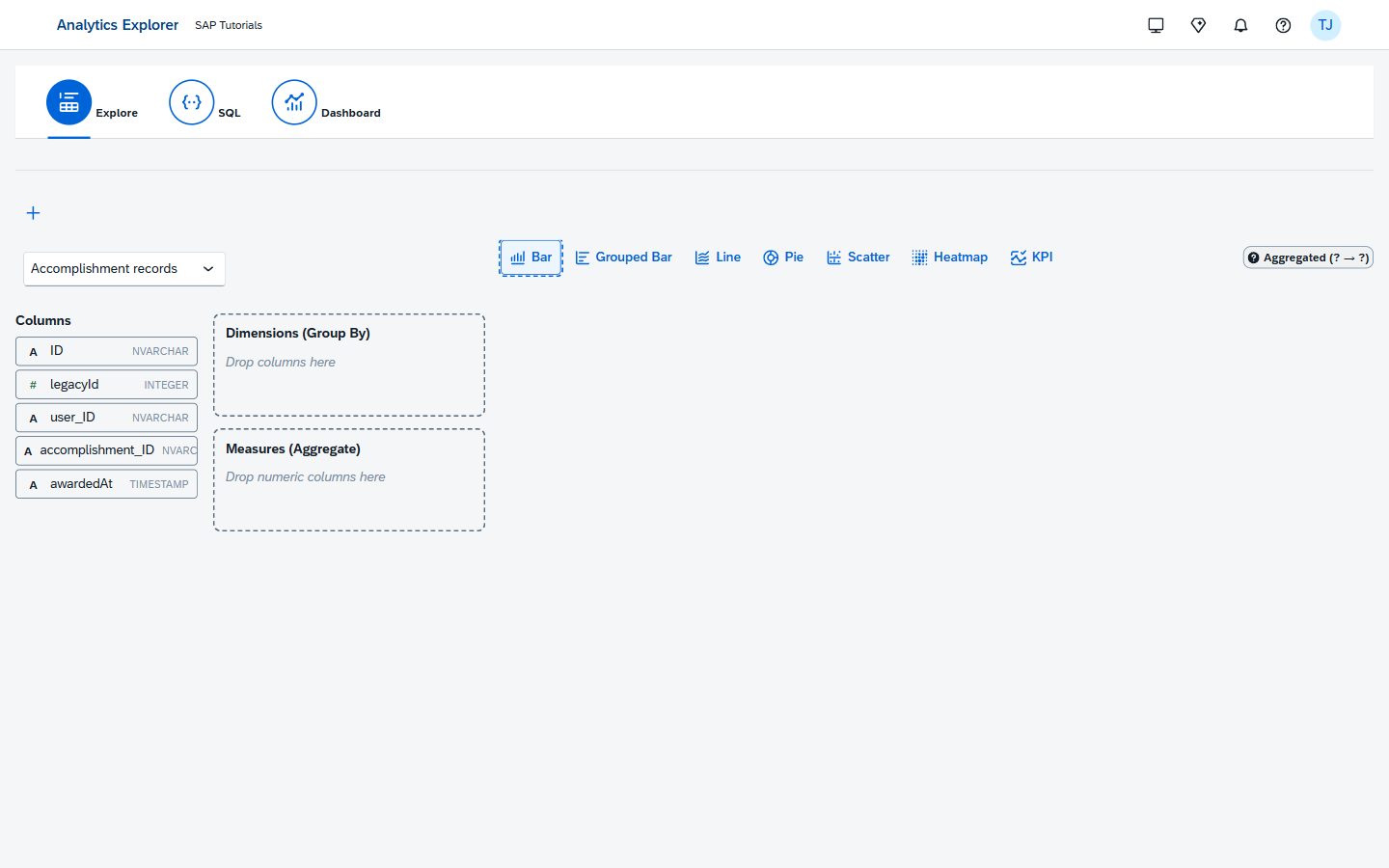
Plus a Joule right-rail that turns "show me the slowest 20 tutorials by completion rate" into a real query you can save, share, or export.
Setup: Analytics admin.
Tag labels are now DB-driven
Slugs are still the join key in tutorial markdown frontmatter (software-product>sap-s-4hana). But the human-readable label ("SAP S/4HANA") is now a row in the Tags Fiori app — admins edit inline, no rebuild needed for label tweaks.
Categories taxonomy + AI classifier
Eight categories, fixed in v1, seeded with stable UUIDs. Each tutorial / mission gets classified automatically at content-publish time using a hybrid embedding + LLM classifier. Admins can override per-item, with a "Re-classify everything" button (destructive, with a confirm dialog).
Real-time event displays
When you run a SAP TechEd or SAP Sapphire CodeJam-style event, you point a monitor at the /display-app/ URL and you get a real-time rotating dashboard — Board (live entrants), Statistics (top contestants), Leaderboard. Updates via Socket.IO over the /ws/display namespace, scoped to DisplayApp.
The Scanner UI (/scanner-ui/) lets event staff scan QR codes, look up contestants, and claim prizes from a phone or tablet.
GDPR right-to-be-forgotten as one click
@PersonalData annotations on Users / UserMetaData / TaskRecords drive a single _executeAnonymization action that walks the cascade, scrubs PII, emits a SecurityEvent, and audit-logs the operation.
Content publishing that doesn't fail at the edge
The publisher uses a chunked protocol (begin → append batches → commit) — a flaky TCP connection on a 53 MB JSON body no longer kills the run. The server's commit step does carry-forward of unchanged slugs. Default mode is correctness-equivalent to --force. Every successful publish auto-verifies against /content/hashes. Hash mismatch exits 2 so CI flags the build as broken.
What's NOT changing
Reassurance section. None of the things below changed:
- Where you author — same
sap-tutorialsGitHub org, same-Contributionprivate repos, same VS Code extension. - How tutorials are reviewed — PRs into the topical-group repo, repo-group owners review.
- The AEM-style frontmatter shape —
time,level,description,author, tags. Existing tutorials migrated as-is. [ACCORDION-BEGIN]legacy syntax — still parsed (V1 parser); new tutorials use the V2 parser viaparser: v2in frontmatter.- Image hosting — still
raw.githubusercontent.com. The platform CDN-fronts and lightboxes them; you don't host them anywhere new. - Validation quiz
rules.vrfiles — still in*-Contributionrepos, still parsed at build time. - The public URL shape —
https://developers.sap.com/tutorials/<slug>is preserved at cutover.
Try it before cutover
The new platform is running on the DEV space right now:
| What | URL |
|---|---|
| Browse landing | tutorial-system-dev-tutorials-approuter.cfapps.eu10-005.hana.ondemand.com |
| A tutorial | /tutorials/hana-cloud-trial-qgis-1/ |
| Your profile | /me/ (sign in with your SAP IDP account) |
Admin shell (auth + Admin scope) | /admin-ui/ |
Analytics explorer (auth + Admin scope) | /analytics-ui/ |
QA channel (auth + Tutorial.Author scope) | /tutorials-qa/<your-slug>/ |
Things to try first:
- Hit
⌘K(orCtrl+K). Type a topic. HitEnter. - Open any tutorial. Hit
f. That's reader mode. - Toggle the theme via the shellbar — watch the cross-fade.
- Click any screenshot inside a tutorial — that's the lightbox. Use
←/→for the gallery. - If you have
Tutorial.Authoraccess, open a PR on a-Contributionrepo and watch the/tutorials-qa/<slug>URL update.
Questions, gripes, missing things
- Bug or polish item: open an issue on
sap-tutorials/tutorials-ims. - Author-flow question: /authors/ has the persona-grouped index.
- Engineer-flow question: /developers/ covers architecture, ops, reference.
- What got retired and why: /historic/ — including the AEM gap analysis and the IMS uncovered-features audit.
We're shipping this because the AEM stack made the things in this page either impossible or a nightmare to operate. If you spot something that was great about AEM and isn't here yet — please tell us. We'd rather find it before cutover than after.
— The tutorials platform team